Use case · Customer support
AI customer support chatbot that answers from your own content
Chyt.ai is an AI customer support chatbot that answers visitor questions from your own help centre, website and documents, and shows the sources it used. When a question needs a person, it hands the conversation to your team in a shared live inbox with the full history. Analytics, topic clusters and answer corrections show you what to improve next.
Who it is for: Support leads and founders at SaaS, e-commerce and service businesses who answer the same questions every day
The problem
The same questions arrive all day
Delivery times, refund rules, plan limits, password resets. The answers already exist on your website or in a policy document, but customers ask anyway, and every reply takes an agent away from harder cases.
Generic bots guess when they do not know
A chatbot that answers from general training data rather than your content can state a policy you never wrote. Support teams need answers tied to an approved source, and a clear route to a person when the source does not cover the question.
Nobody can see what customers are really asking
Tickets sit in one tool, chats in another. Without transcripts, topics and gaps in one place, the help centre does not improve and the same confusion returns next month.
How Chyt.ai solves it
Answers grounded in your help centre, website and documents
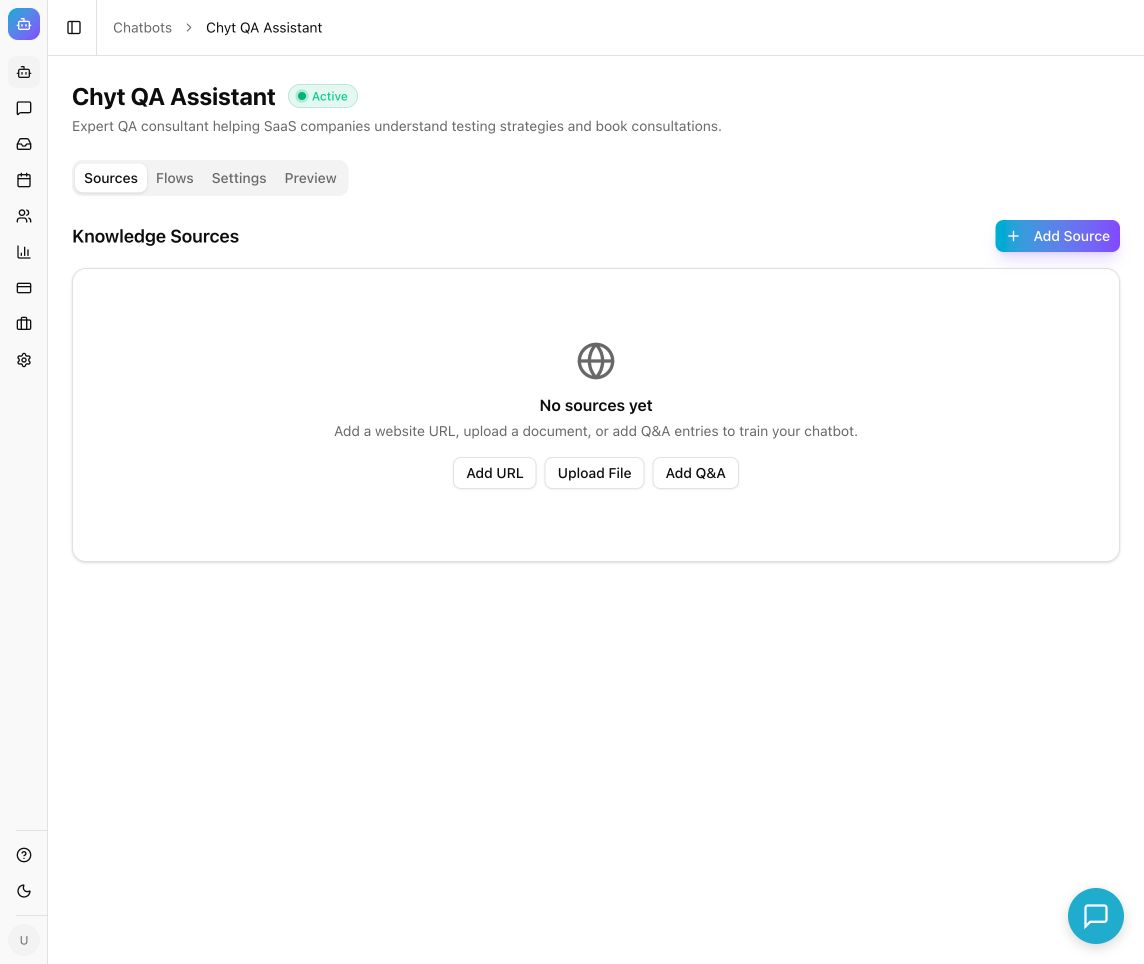
Add your website as a crawled source with a daily, weekly or monthly sync, and upload PDF, DOCX, TXT, CSV or XLSX files for policies and guides. Chyt.ai retrieves the relevant passages with hybrid search and reranking, then answers from them with source citations your customer can check.
Read the guideApproved wording for policy questions
Q&A sources let you add the exact question and the approved answer for topics such as returns, eligibility and service hours. They fill gaps your website leaves open and keep policy answers consistent. Where wording must be fixed word for word, use a deterministic flow instead.
Read the guideHuman handoff into a live inbox
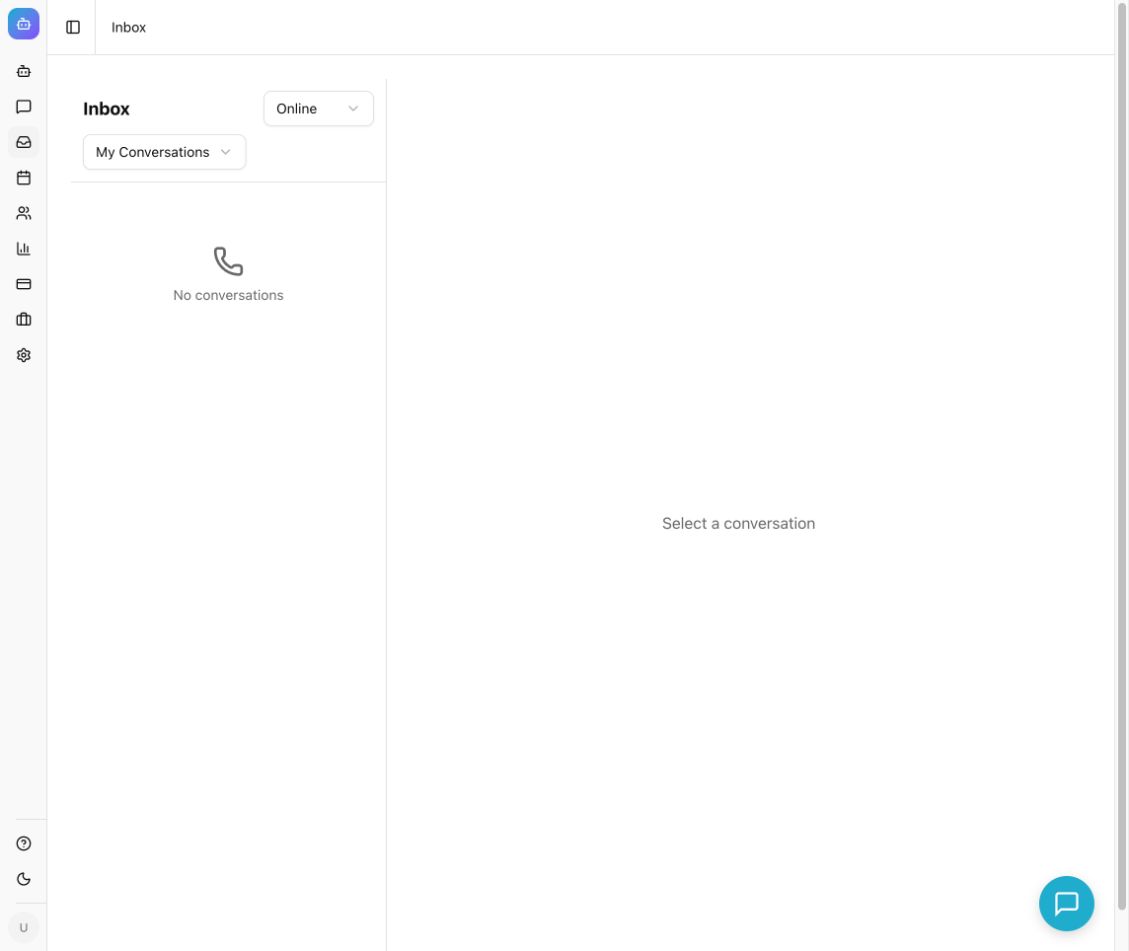
Visitors can ask for a person at any point, and you can choose to escalate automatically when answer confidence is low. Agents set their availability, claim the conversation from the unassigned queue, read the full history, reply in the same chat window and resolve it. Offline and escalation messages set honest expectations when nobody is available.
Read the guideAnalytics, topics and knowledge gaps
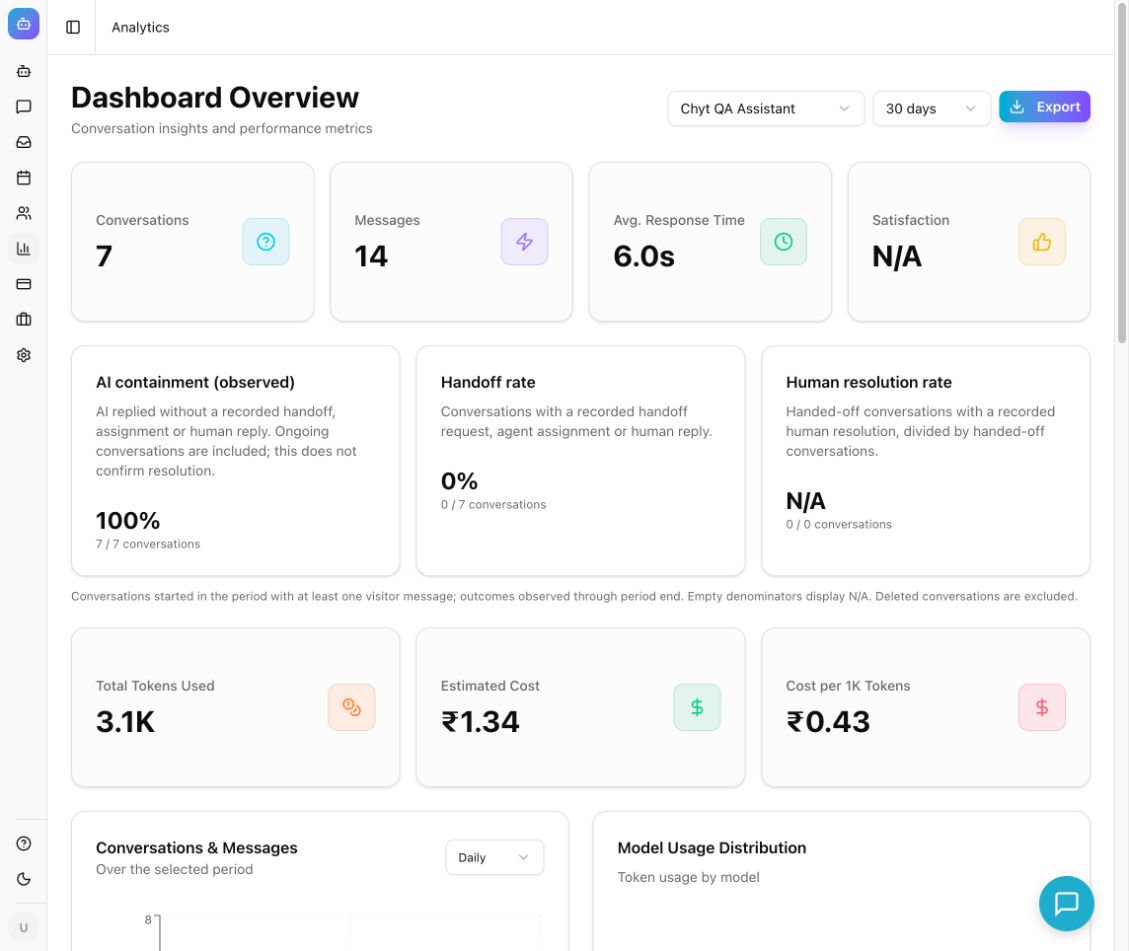
The analytics dashboard shows conversations, messages, response time, satisfaction, handoff rate and observed AI containment for 7, 30 or 90 days. Topic clusters, top intents and knowledge gaps point to the content that is missing or unclear, so you know which help article to write next.
Read the guideCorrections that feed future answers
Open any transcript, select the weak response and save a corrected answer. The correction becomes an input to future answers on that topic. Re-test the question and a paraphrase in the preview to confirm the improvement.
Read the guideWhat the conversation looks like
An illustrative example. Your assistant uses your own content, wording and flows.
- Visitor
Can I return a jacket I bought three weeks ago? I have worn it once.
- Assistant
Our returns policy accepts unused items within 30 days of delivery. Because the jacket has been worn, it would not qualify for a standard return. If there is a fault with it, the policy covers faulty items separately.
Answer grounded in your uploaded returns policy PDF, with a citation - Visitor
The zip broke the first time I wore it, so I think it is faulty.
- Assistant
I am sorry about that. Faulty items can be reported within the period stated in the policy, and the team will need a photo and your order number. Would you like me to connect you with a member of the support team?
Answer cites the faulty items section of the same source - Visitor
Yes please, I would like to talk to a human.
- Assistant
I have passed this conversation to our support team. They reply during working hours and will see everything we have discussed, so you will not need to repeat yourself.
Your configured escalation message. The conversation appears in the inbox under Unassigned - Assistant
Hello, this is Priya from the support team. I have read the thread. Please share your order number and a photo of the zip, and I will arrange a replacement.
Reply typed by a human agent after claiming the conversation in the inbox
Set it up in 5 steps
- 1
Create a chatbot and add your support content
Add your help centre or website URL, set the crawl scope and exclusions, and upload the policy documents customers ask about. Wait until each source shows Ready.
- 2
Test real questions in the preview
Ask the questions from your last fifty tickets. Check each answer against its cited source, try a paraphrase, and ask something your content does not cover to see how the assistant handles it.
- 3
Switch on handoff and brief your agents
Enable handoff, write the escalation and offline messages, and decide whether low-confidence answers should escalate automatically. Have a teammate claim and resolve a test conversation from the inbox.
- 4
Publish the widget or hosted chat page
Paste the embed snippet into your website or share the standalone chat page. Additional channels such as WhatsApp, Slack and email can be connected when they are available for your plan and workspace.
- 5
Review weekly and close the gaps
Read the knowledge gaps and topic clusters, correct weak answers, and update the underlying sources. Support quality improves because the content improves.
Inside the product
What it means for the business
Routine questions answered at any hour
Customers get a sourced answer in seconds, including outside office hours, without waiting in a queue for information that is already published.
Agents spend their time on cases that need judgement
Handoffs arrive with the full conversation attached, so agents start from context rather than from the beginning.
A help centre that improves from real demand
Knowledge gaps and topic clusters turn transcripts into a content backlog you can act on.
Predictable cost as volume grows
Chyt.ai charges a flat monthly price with an AI credit allowance, never per message, and conversations handled entirely by deterministic flows use no AI credits.
Frequently asked questions
- What is an AI customer support chatbot?
- An AI customer support chatbot is software that answers customer questions automatically in a chat window. Chyt.ai builds one from your own website, help centre and documents using retrieval-augmented generation, so answers are grounded in your content and shown with source citations rather than drawn from general knowledge.
- How does Chyt.ai hand a conversation to a human agent?
- In Chyt.ai, a visitor can ask for a person, a flow can route to a Handoff node, or the chatbot can escalate automatically when answer confidence falls below a threshold you set. The conversation then appears in the shared inbox, where an agent claims it, reads the history, replies in the same chat and resolves it. A handoff request is not a promise of an immediate reply, so write escalation and offline messages that match your working hours.
- Will the chatbot make up answers about our policies?
- Chyt.ai answers are grounded in the sources you add and include citations so customers and agents can check them. No AI system is perfect, so Chyt.ai also gives you Q&A sources for approved wording, answer corrections from transcripts, low-confidence escalation to a person, and deterministic flows for steps where the wording must be fixed.
- How do I find out what my chatbot cannot answer?
- The Chyt.ai analytics dashboard lists knowledge gaps and top intents, and the conversations area groups transcripts into topic clusters. Review them regularly, then add or fix the source content, or save a correction on the specific answer.
- How much does an AI support chatbot cost with Chyt.ai?
- Chyt.ai uses flat monthly pricing, never per message. Starter is ₹3,999 per month (₹3,199 per month billed annually) with 5 chatbots and 2,000 AI credits a month, and Pro is ₹15,999 per month (₹12,799 billed annually) with 20 chatbots and 7,500 AI credits. Prices exclude taxes, and a free trial with 200 AI credits is available.
Try it with your own content
Build a demo assistant from your website or files in minutes. Flat monthly pricing, never per message.
Related use cases
Guided flows (no AI)
Build scripted, auditable chatbot journeys in Chyt.ai's flow builder. Fixed wording, button choices, zero AI credits, and unlimited on every active plan.
ExploreWhatsApp chatbot
Connect your own WhatsApp Business number to Chyt.ai through the Meta Cloud API. One chatbot answers from your content on web and WhatsApp, with team inbox.
ExploreInternal knowledge base
Chyt.ai turns Notion, Confluence, Google Drive, SharePoint and policy documents into an internal assistant that answers staff questions with citations.
ExploreFurther reading
What is a RAG chatbot? Retrieval-augmented generation explained
A plain-language guide to RAG chatbots: chunking, embeddings, hybrid search, reranking and cited answers, how RAG reduces hallucinations, and its limits.
7 min readGuidesHow to turn your website into an AI chatbot in minutes
A step-by-step guide to training an AI chatbot on your website content: crawl your pages, add documents, test answers, customise the widget and embed it.
7 min readStrategyChatbot pricing: flat-rate vs per-message vs per-resolution
AI chatbot pricing explained: how flat-rate, per-message and per-resolution models work, what drives chatbot cost, and what Chyt.ai plans cost in India.
7 min read