Use case · Guided flows (no AI)
Deterministic chatbot flows: guided conversations without AI
A deterministic chatbot follows a script you design: the same input always produces the same, pre-approved reply. Chyt.ai's flow builder lets you create these guided conversations for triage, eligibility checks, onboarding and fixed-wording FAQs, with no AI involved and no AI credits used. Every active plan includes unlimited deterministic flow conversations, and you can add an AI answer or a human handoff only at the points where you choose to.
Who it is for: Teams in regulated, high-volume or process-driven settings that need predictable wording: finance, healthcare, education, public services and operations
The problem
Some answers must be word for word
Eligibility criteria, fees, disclaimers and safety instructions are approved by someone. A generated paraphrase, however fluent, is not the approved text, and reviewers cannot sign off a reply that changes each time.
Open-ended chat is the wrong tool for a fixed process
Triage, onboarding and application checks are sequences of known questions with known outcomes. Visitors move faster with buttons than with a blank text box, and the business needs every visitor to pass through the same steps.
Usage-based AI costs make simple journeys expensive
Paying model costs for a reply that never changes makes little sense. On per-message pricing tools, a busy scripted journey can cost as much as a complex AI conversation.
How Chyt.ai solves it
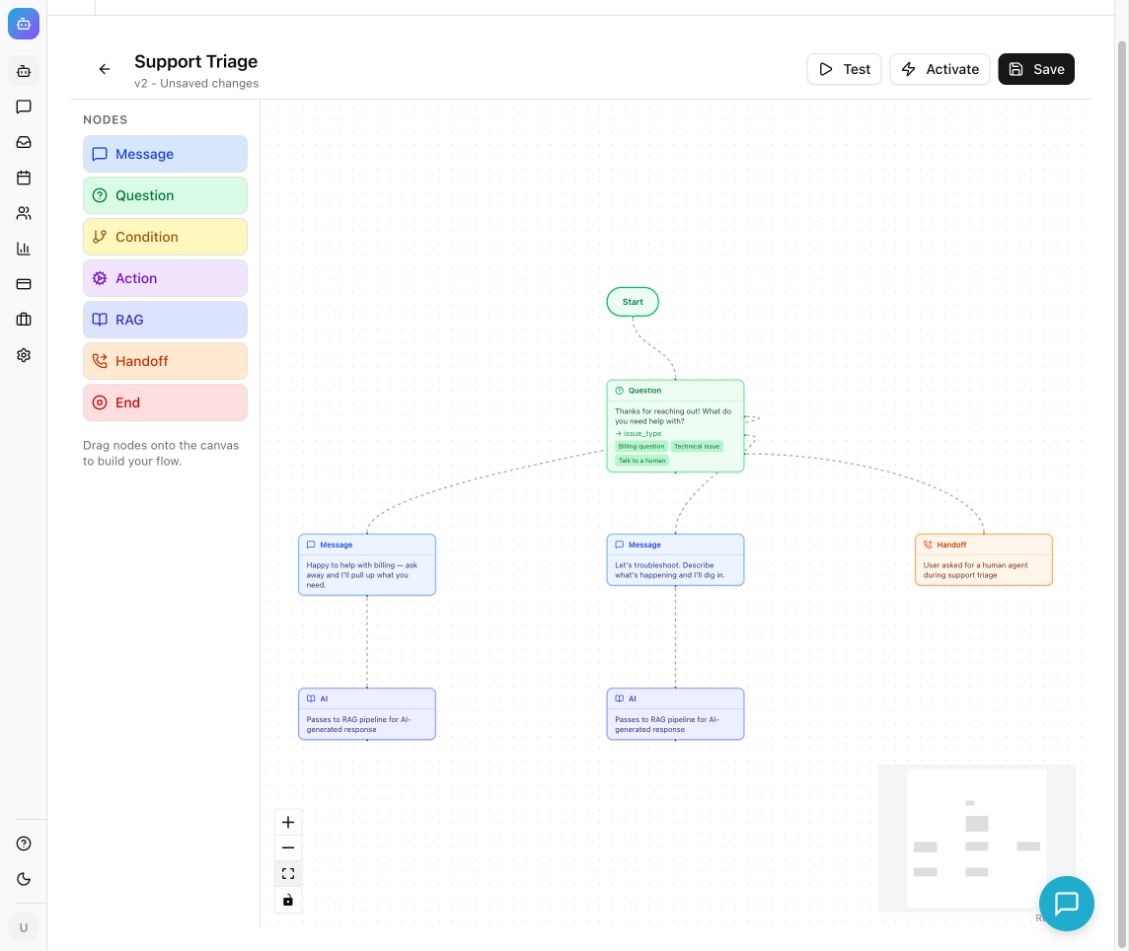
A visual flow builder with eight node types
Flows are built from Start, Message, Question, Condition, Action, RAG, Handoff and End nodes on a canvas. Questions use buttons or free text and store answers in variables you can reuse later as {{name}}. Several flows can be active at once, and visitors can type /flows to choose or switch paths.
Read the guidePredictable routing you can audit
Each button has its own connection, and Condition nodes branch on stored answers with operators such as equals, contains, starts with, is empty, greater than and less than. An unknown reply to a button question repeats the question rather than improvising. The graph is the specification: anyone can read exactly what a visitor will be shown, and each saved flow carries a version number.
Read the guideZero AI credits, unlimited on every active plan
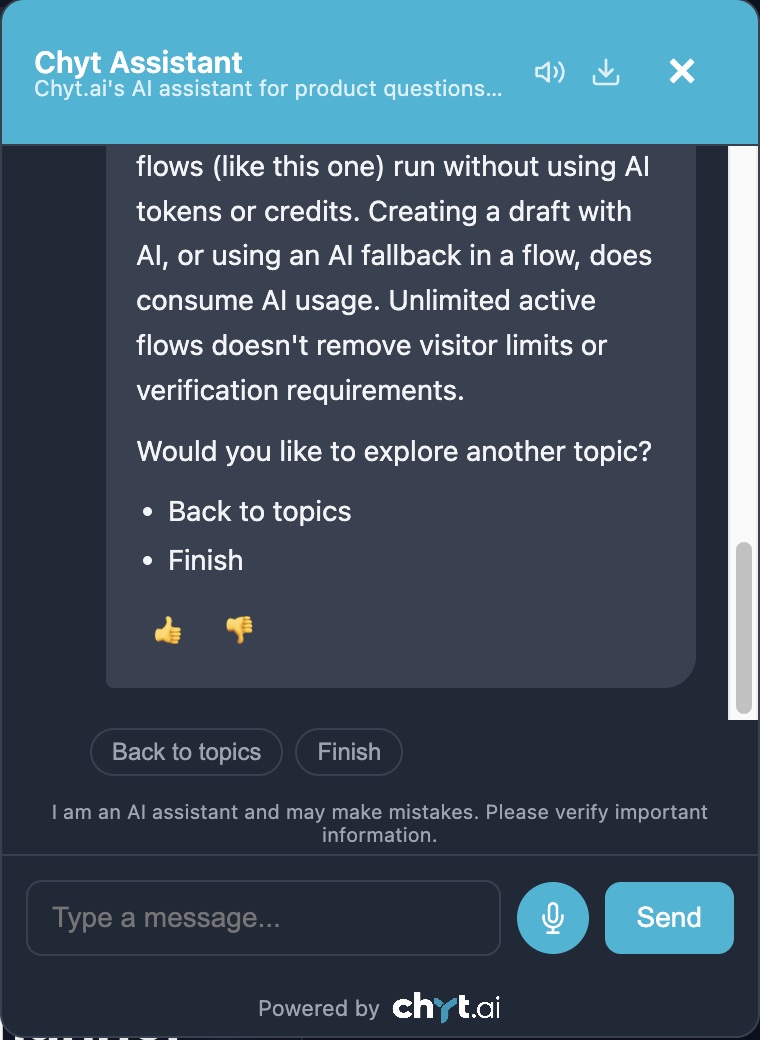
Messages handled entirely by flow nodes use no AI credits and no model tokens, and every active plan includes unlimited deterministic flow conversations. Configured flows keep working even when the workspace's AI credits are used up. Trial expiry, visitor safeguards and resource limits still apply.
Read the guideAI answers and people, only where you choose
Connect a RAG node at the point where an open question makes sense, and the conversation hands over to AI answers grounded in your knowledge sources; that step uses AI credits. Connect a Handoff node where a person should take over, and the conversation goes to the shared inbox.
Read the guideTemplates, an AI Wizard draft, and a test mode
Start from a template, build by hand, or describe the journey and let the AI Wizard draft it. A generated draft stays inactive until you have inspected and activated it, and the running flow itself uses no AI. Test Flow lets you restart and walk every branch before visitors see it.
Read the guideWhat the conversation looks like
An illustrative example. Your assistant uses your own content, wording and flows.
- Assistant
Welcome to the scholarship eligibility check. It takes a few short questions. Are you applying as a new student or a current student? [New student] [Current student]
Flow question — no AI credits used - Visitor
New student
- Assistant
What was your percentage in your most recent qualifying exam? Please enter a number only.
Free-text question stored in a variable; a Condition node checks whether it is greater than the threshold - Visitor
82
- Assistant
Based on your answers, you meet the academic criterion for the merit scholarship. Final decisions are made by the admissions committee after document verification. Would you like to continue? [See required documents] [Ask a question] [Talk to admissions]
Fixed, pre-approved wording. Every visitor with the same answers sees exactly this message - Visitor
Talk to admissions
- Assistant
I am passing you to the admissions team. They reply on working days between 10 am and 5 pm, and they will see your answers so far.
Handoff node. Choosing Ask a question would instead lead to a RAG node for an AI answer from your documents
Set it up in 5 steps
- 1
Map the journey on paper
Write the goal, the questions, the allowed answers and every ending. Mark which endings should close the chat, which should reach a person, and whether any should open up to AI answers.
- 2
Create the flow
Open the chatbot's Flows tab and choose New Flow, From Template or AI Wizard. Add Message and Question nodes, name the variable each answer is stored in, and enter one button choice per line.
- 3
Connect every branch
Set the destination for each button, give both outcomes of every Condition node a destination, and finish each path with End, Handoff or RAG. Use the Save lead in Chyt action, after an explicit save choice, where enquiry details should be kept.
- 4
Save and test each route
Use Save and test, then restart the test for every choice, unexpected input and ending. The test previews AI fallback and handoff rather than performing them, so check those in a real conversation.
- 5
Activate and review
Activate the flow, open a fresh public conversation to confirm the visitor experience, and review transcripts to see where people drop off or choose the wrong path.
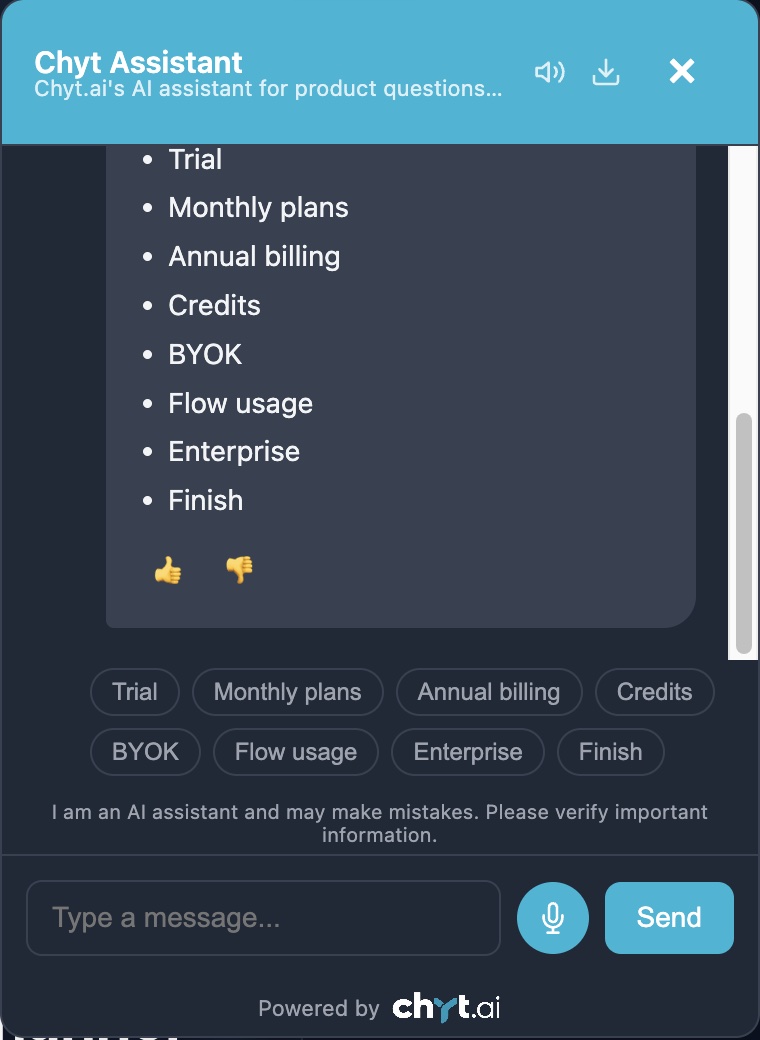
Inside the product
What it means for the business
Replies you can approve in advance
Compliance, legal or clinical reviewers sign off the actual words visitors will read, because those words do not change.
Consistent journeys for every visitor
Everyone passes through the same questions in the same order, so outcomes are comparable and nothing is skipped.
Predictable cost at any volume
Flow conversations are unlimited on every active plan and use no AI credits, so a busy scripted journey does not raise your bill.
A sensible path to AI when you are ready
Start fully scripted, then add a RAG node for open questions or a Handoff node for people, one branch at a time.
Frequently asked questions
- What is a deterministic chatbot?
- A deterministic chatbot is a chatbot that follows a predefined script: the same input always leads to the same, pre-written reply, with no language model generating text. In Chyt.ai, deterministic chatbots are built as flows made of Message, Question, Condition, Action, Handoff and End nodes, and they use no AI credits.
- When should I use a guided flow instead of an AI chatbot?
- Use a guided flow when the wording must be exact or the process is fixed: eligibility checks, triage, onboarding steps, disclaimers and FAQs with approved text. Use AI answers when questions are open-ended and the answer lives somewhere in your content. Chyt.ai lets you combine the two by adding a RAG node to a flow at the point where an AI answer is appropriate.
- Do Chyt.ai flows cost extra or use AI credits?
- No. Every active Chyt.ai plan includes unlimited deterministic flow conversations, and messages handled entirely by flow nodes use no AI credits or model tokens. AI credits are used only when a flow reaches a RAG node, when a visitor asks an open AI question, or when you use the AI Wizard to draft a flow.
- Can a Chyt.ai flow call an external API?
- Not from the flow canvas at present. The API call action in the Chyt.ai flow builder is marked coming soon and does not execute a request. To reach external systems today, use webhook Functions, which the AI assistant can call during AI conversations.
- Can one chatbot run several flows?
- Yes. In Chyt.ai, several flows can be active for the same chatbot, and activating one does not deactivate the others. One active flow starts automatically for a new conversation; with several, visitors can choose a path, type /flows to view or switch, or ask an ordinary AI question.
Try it with your own content
Build a demo assistant from your website or files in minutes. Flat monthly pricing, never per message.
Related use cases
Lead generation
Chyt.ai qualifies website visitors with guided question flows, saves consented leads to a dashboard with stages, and hands ready buyers to your sales team.
ExploreCustomer support
Chyt.ai answers support questions from your help centre, website and documents with citations, and hands over to your team in a live inbox when needed.
ExploreWhatsApp chatbot
Connect your own WhatsApp Business number to Chyt.ai through the Meta Cloud API. One chatbot answers from your content on web and WhatsApp, with team inbox.
ExploreFurther reading
Deterministic vs AI chatbots: when to use each (or both)
Deterministic chatbots follow fixed flows; AI chatbots generate answers from your content. Compare cost, control and fit, and learn how to combine both.
6 min readFlows & automationHow to build a flow-based chatbot without code
A step-by-step guide to building a no-code conversation flow: nodes, variables, buttons, conditions, lead capture, testing, activation and AI fallback.
6 min readStrategyChatbot pricing: flat-rate vs per-message vs per-resolution
AI chatbot pricing explained: how flat-rate, per-message and per-resolution models work, what drives chatbot cost, and what Chyt.ai plans cost in India.
7 min read