Manage leads and verified contacts
Review sales signals separately from contact verification, update lead stages, and manage contact exports or erasure.
On this page
Before you begin
Choose the correct workspace. Leads contains sales profiles from conversations; Verified contacts contains contact details collected through the verification form. Owners and admins can access verified-contact controls. A sales score or contact OTP does not establish legal identity or marketing permission.
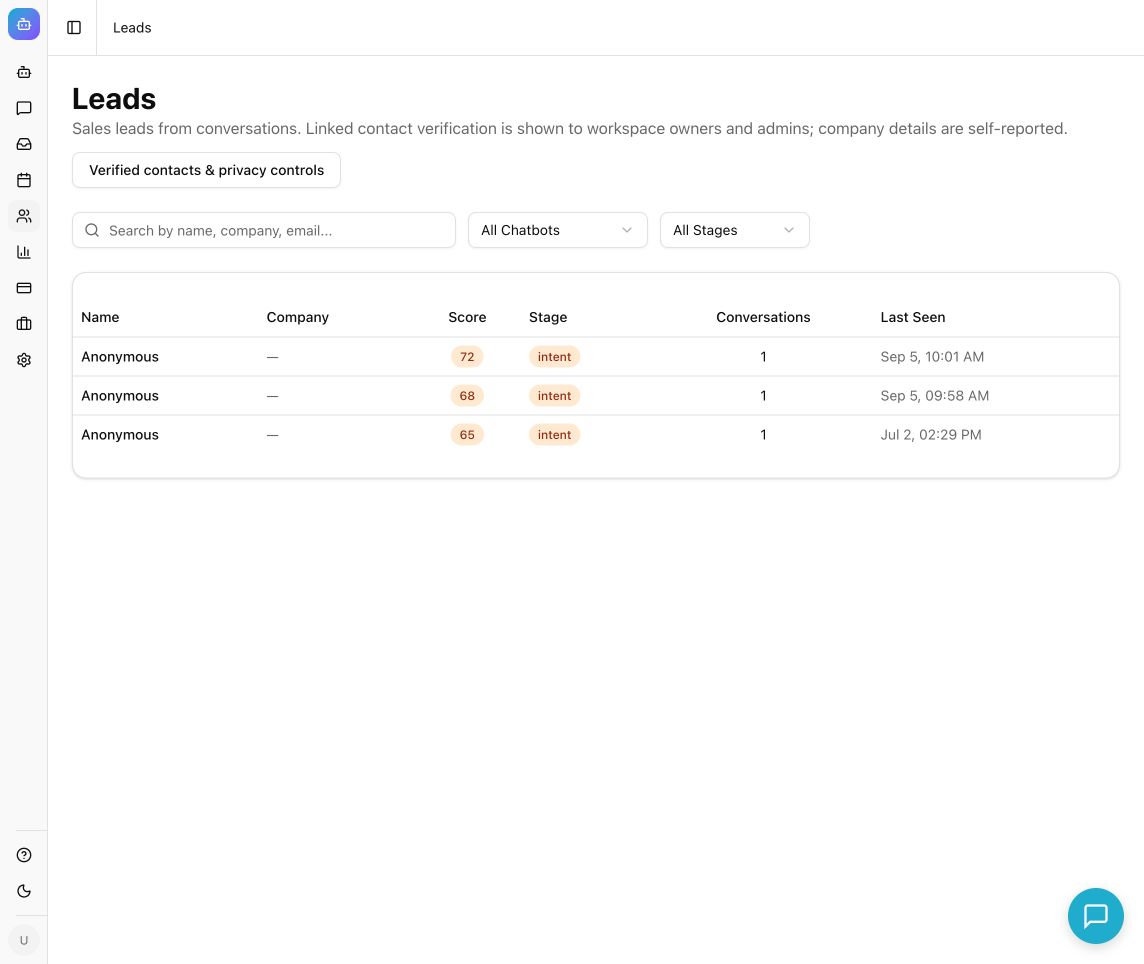
Example from the Chyt.ai dashboard (September 2026).
Review and qualify a lead
- Open Leads from the dashboard.
- Search by name, company, or email. Use All Chatbots and All Stages to narrow the list.
- Open a lead and inspect Profile, Qualification, and linked Conversations.
- Read the source conversation before relying on a buying signal or score. Company and profile information can be self-reported or inferred; contact verification does not collect or verify a company name.
- Review the current Stage in Qualification and choose the stage that reflects your team's actual assessment. Confirm the update succeeds.
- Follow up through your team's authorized process or configured integration. A lead appearing in Chyt does not itself send an email, create a CRM record, or book a meeting.
Review a verified contact
- As an owner or admin, open Verified contacts.
- Find the record for the appropriate chatbot and read its method badge: WhatsApp verified, SMS verified, or Email verified.
- Treat the badge as proof of access to that particular method at verification time. Other provided contact fields and the name remain self-reported. Email verification does not collect or verify a phone number.
- For a justified contact-data request, select Export JSON on the relevant record and store the downloaded file according to your organization's access rules.
- To erase contact details, select Erase contact, read Erase contact details?, and confirm with Erase contact details only for the intended contact.
- Check the success message and reload the list if needed. Erasure clears the linked name, email, phone, and verification consent within the same chatbot.
What you should see
Lead stages reflect your review, while verified-contact records explicitly identify which channel was verified. Contact export and erasure are audited. Contact records expire after 90 days; background cleanup runs every 15 minutes while the service is running, and outages can delay physical cleanup.
Erase contact does not erase conversation history, source documents, downloaded exports, or backups. Daily visitor usage remains in force, and a keyed contact association lasts until the next UTC day. For a broader privacy request, use your organization's request process and Chyt's privacy contact.
Troubleshooting
- No verified contacts: the visitor may not have completed OTP verification, or you may be viewing a different workspace, chatbot, or page.
- A lead has no company: verification does not collect company details. Do not infer a company from an email domain without checking.
- Contact controls are unavailable: verify that you are currently an owner or admin. An API key is not a substitute for that signed-in access.
- A pure flow has no AI score: deterministic flow chats skip model-assisted extraction and scoring. Add an explicit Save lead in Chyt action after the visitor agrees to save usable enquiry details. The action creates or updates a lead without AI; the simulator only previews it. Do not treat an absent AI score as lack of interest.
- Export or erasure failed: retry only after resolving the error. The UI must confirm success before you report the action completed.
Continue learning
Visitor verification · Conversation review · Integrations and functions